
Wholesale Building Block Product Data: A Retail Listing Checklist
Prepare accurate retail listings for wholesale building block sets: match SKUs, specifications, images and support information using two catalog examples.
Build one product record before writing the listing
A wholesale building block order needs a clear product record as well as a quotation. The buying team may work from a catalog, the photographer from a sample, and the store team from a spreadsheet. Before publishing a retail listing, check that all three refer to the same SKU and product version.
Create one approved record for each set. Keep the supplier's product link, specification source and confirmation date alongside the copy you intend to publish. When an answer is missing or two sources disagree, mark that field for confirmation instead of copying a value from a similar model.
This checklist focuses on product information for retail listings. For quantities, quotation terms and shipment questions, use the separate wholesale MOQ and pricing guide.
Keep similar-looking sets separate
Two farm-themed models in the Buildings & Street Scenes collection illustrate why a shared theme is not a shared specification.
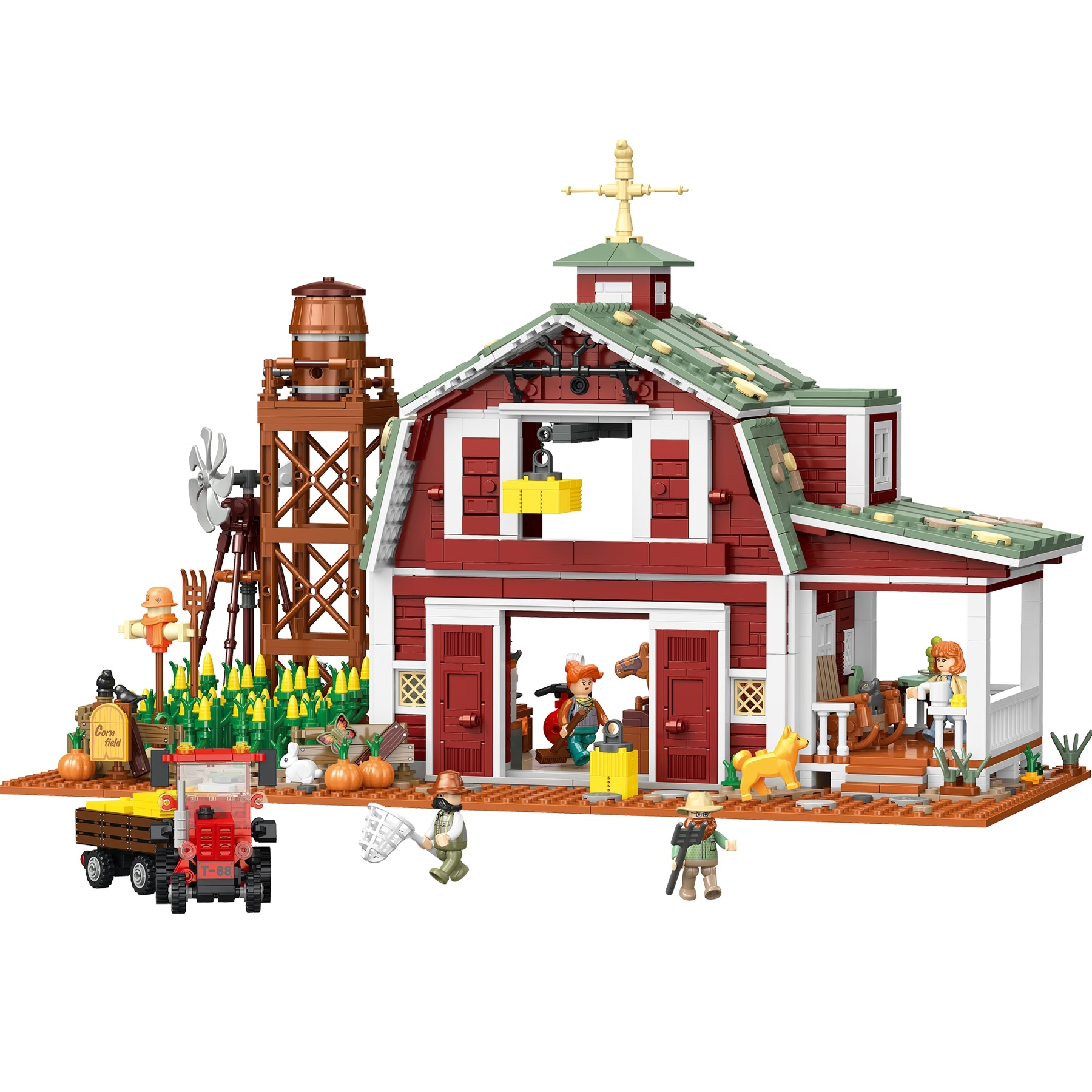
The JIESTAR Rustic Barn Farm Building Block Set, X68003 lists 2,223 pieces, a finished model size of 33.5 x 20.5 x 36 cm and a package size of 43 x 31 x 11 cm. The JIESTAR Sunflower Farm Building Block Set, X68004 lists 1,986 pieces, a finished size of 31 x 25.5 x 19 cm and a package size of 42 x 30 x 10.5 cm.
These figures were checked on the official product pages on November 2, 2026. They are examples of separate SKU records, rather than a specification for every farm or architecture set. Keep the model number in image filenames, sample notes and listing drafts so that a revision to one product does not silently change the other.
Label each measurement by what it describes
Finished model dimensions help a customer plan a display. Retail package dimensions describe the box. Neither should be relabelled as shipping-carton dimensions or used as a substitute for confirmed shipping weight.
For X68003, the listed finished size and package size are visibly different sets of measurements. A listing headed simply “Size” could leave a customer unsure which one they are reading. Use “Finished model size” and “Retail package size,” retain the units, and confirm the orientation of each measurement before assigning width, depth and height labels.
Keep these fields separate in the source record:
- Finished model dimensions and the measurement orientation.
- Retail package dimensions and the packaging version.
- Unit weight, with a clear description of what was weighed.
- Shipping-carton dimensions, gross weight and units per carton, if supplied for the order.
If a logistics field is unavailable, request it for the quoted packing arrangement. Do not calculate a freight promise from the retail product page alone.
Treat piece count, age and difficulty as different fields
Piece count identifies a feature of the set; it does not establish assembly time or difficulty. The two example product pages list different piece counts, while their difficulty fields direct readers to the product package. That is a reason to confirm the information, not to invent an “easy,” “expert” or hour-based label.
Check the age recommendation against the current product and packaging information for the version being ordered. Do not copy it across an entire collection. Keep any supporting product documents associated with the exact SKU, and refer unresolved product-information questions to the supplier before publishing customer-facing claims.
Match the images to the approved version
Review the main image, detail images and specification graphics together. Check the model's visible structure, colours and accessories against the sample or approved product reference. A similar product name is not enough to establish that a photograph belongs to the same version.
Record which images are approved for your retail channels and whether a graphic contains text that needs updating. Ask what is included in the box when a display photograph contains separate props or scene elements. Write image descriptions around what the photograph shows; do not turn a decorative scene into an unsupported statement about included parts or product functions.
Prepare the support information before launch
Decide how your team will identify a product when a customer asks about instructions or missing pieces. Keep the SKU, order reference and the relevant instruction or part reference together. JIESTAR's replacement-parts support page provides a starting point for preparing a support request; confirm the arrangements applicable to your wholesale order rather than promising a response or delivery time yourself.
Give the approved product record a version date and an owner. When a supplier confirms a change, review every place that uses the affected field: the listing, image text, catalog and support notes. Retain the earlier record so the team can distinguish older stock from the updated version.
For an existing catalog selection, send your SKU list and unresolved data questions through Wholesale. If the project involves branded packaging, revised instructions or a different development brief, use Custom Solutions and identify which parts of the product record need a new approval.
Explore JIESTAR
Browse building block sets or contact JIESTAR for wholesale supply, OEM / ODM customization, product co-development, and sub-brand partnerships.
Continue reading
Related articles

Wholesale Tips
Wholesale Flower Building Block Sets: Plan a Retail Assortment
Oct 19, 2026 · 4 min read

Wholesale Tips
Wholesale Ship Building Block Sets: Display and Packaging Checklist
Oct 15, 2026 · 4 min read

Wholesale Tips
Building Block RFQ Checklist: What Buyers Should Prepare
Jul 10, 2026 · 5 min read